
Your Membership Card
GXSA uses an electronic membership card. The front and back of the cards are shown below, for you to print, or save on your smartphone.
You may already have an app on your smartphone for keeping Store Loyalty Cards to avoid you carrying around lots of plastic cards. Personally, I use Stocard on Android, but there are many similar alternatives. I suggest you download the images into your app. Alternatively, you can save them as pictures on your photo gallery, but I think you will find this less convenient.
Front
Back
The barcode is your membership number, that can be scanned by GXSA
Your Profile
This is your profile held by GXSA. Please keep the details updated – especially phone numbers.

This user has not added any information to their profile yet.
Myself
Stuart
Gaunt
Stuart
My Skills
How can you help the club? We’re a self-help group. We need everyone to help, if they can. What skills do you have that could help?
My Partner
Partner Details
For Family Membership: Details about your partner, so we can manage your details together. Please encourage your partner to register as well.Emergency Contact Details: We will use your partner’s details in the event of an emergency, whilst at a GXSA event. We’ll contact your Partner, in the first instance, and your ICE contact as a backup.
Please consider completing these details, just in case!
Sue
Gaunt
Wife
In Case of Emergency (ICE)
Daughter
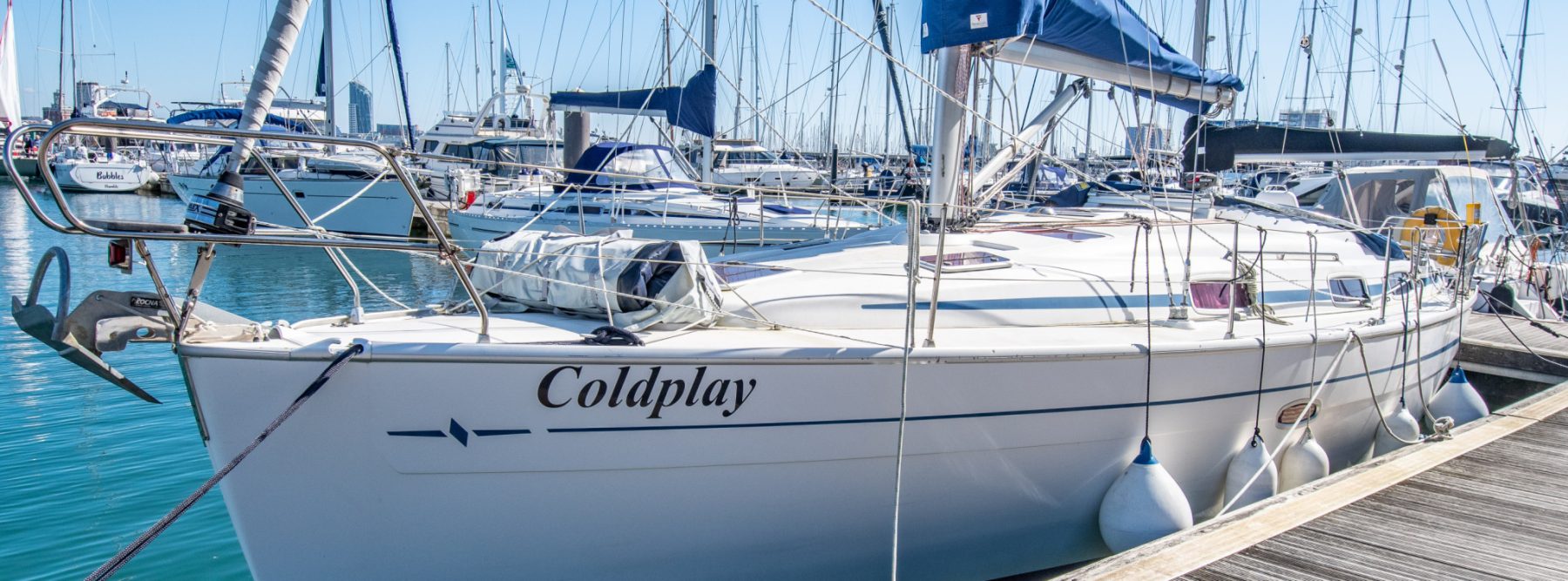
My Boat
About 30% of our members have a boat of some description: Canoe, Dinghy, Narrowboat, River Cruiser, Sailing Yacht. Other members regularly crew for boat owners. If you have a boat, it would be interesting to hear about it:
Coldplay
Sail Cruiser
RNSA Cold Harbour, Gosport
Bavaria
37-C
2006
11
3.8
1.9
Your GXSA Membership Details
These are the additional items that we hold about you personally. They are here for your information, but can only be changed by the GXSA Membership Secretary. Please contact info@gxsa.org.uk if any of these details need to be changed.Family
632
GX632B